
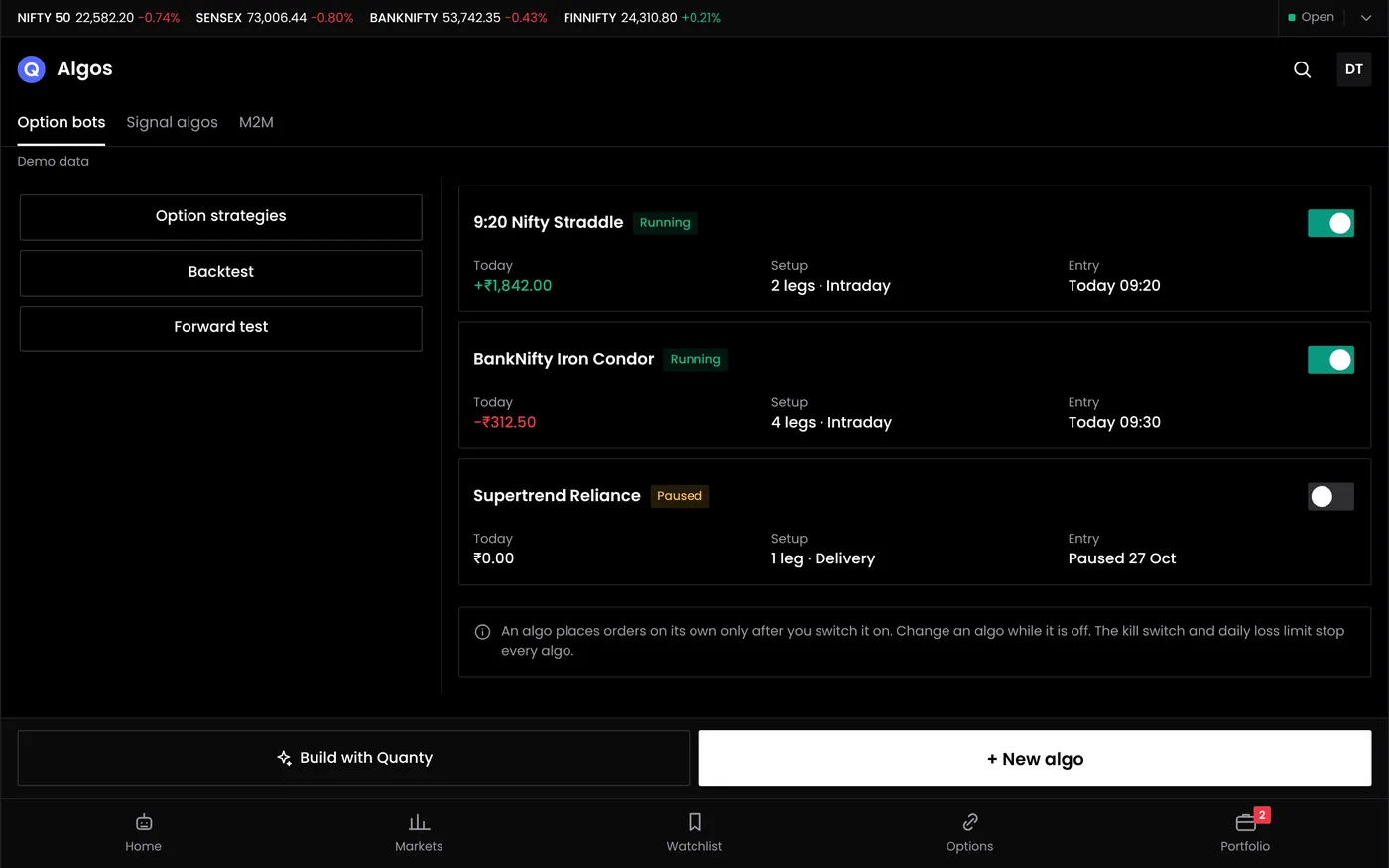
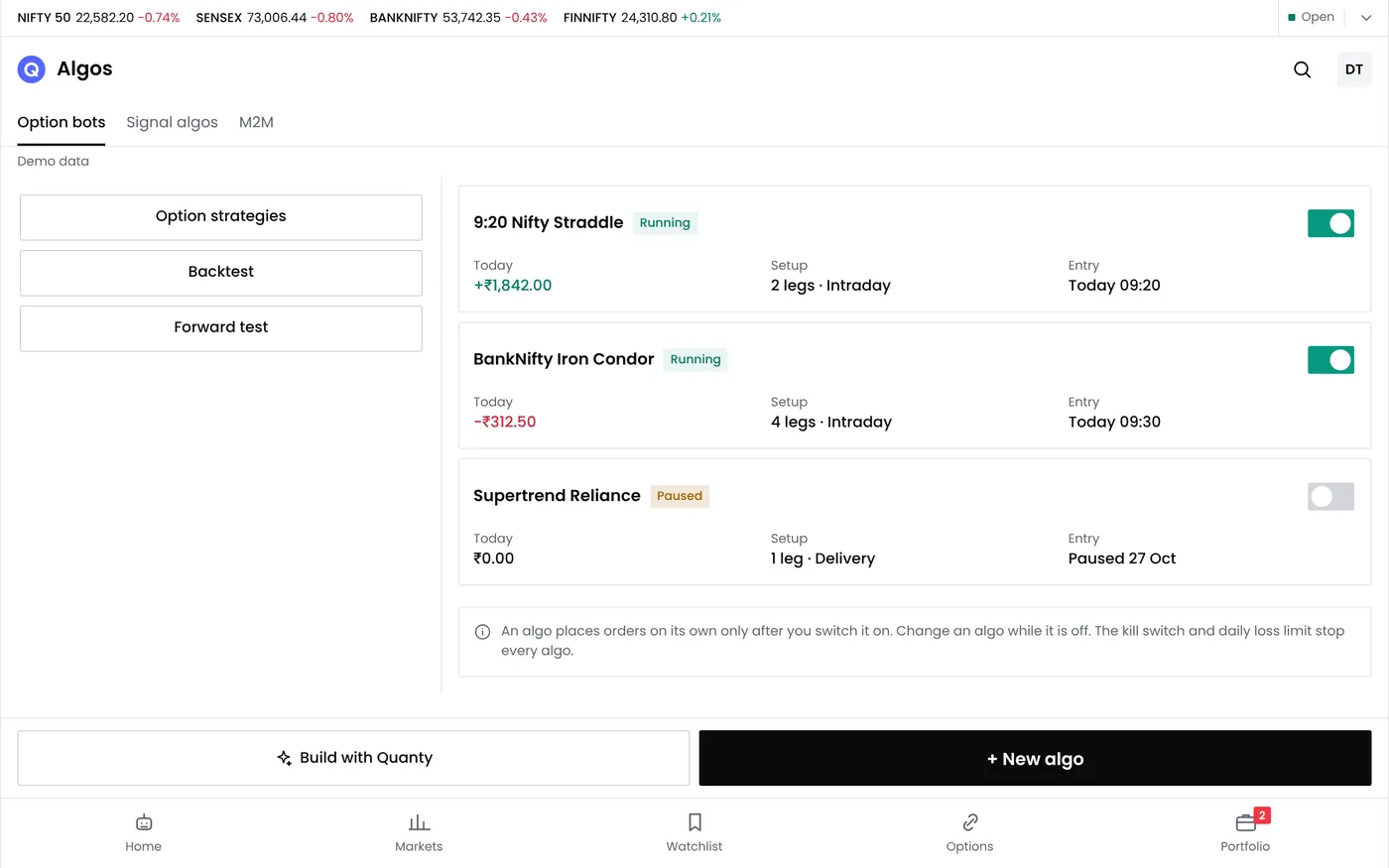
What an algo bot does
An algo bot is a strategy with its rules switched on. Once deployed, it waits for its entry conditions, places the orders, puts the stop losses in place, exits on its rules and logs every step. In paper mode it does all this with virtual money; in live mode it places real orders in your broker account. It never acts on anything you did not write into the rules.
| Part of the bot | What you decide | Sample setting |
|---|---|---|
| Entry | A time, a price level or an indicator condition | 09:20 |
| Instrument | What to trade and how strikes are picked | Nifty weekly options, at the money |
| Size | Lots per order | 1 lot (65 units) |
| Stops | A stop loss on each leg, and one for the whole strategy | ₹4,000 for the strategy |
| Target | An optional profit exit | ₹3,000 |
| Time exit | When open positions close | 15:15 |
| Days | The weekdays it trades | Monday to Friday |
| Mode | Paper or live | Paper first |
The sample settings show the format, not a recommendation. A bot can run an options strategy with several legs, a futures strategy or a stock strategy, as long as its rules are complete.
Who uses algo bots
- Option traders who sell straddles, strangles, iron flies or condors and want the same exits applied every day.
- Intraday traders whose setups depend on a time or an indicator, and who cannot watch the screen all session.
- Positional traders who manage defined-risk structures to fixed rules over several days.
- Manual traders moving to automation who want to watch a bot in paper mode before they trust it with money.
Algo bots do not suit anyone looking for tips or for someone else to trade for them. Results depend on your rules and the market, and SEBI's studies of individual traders show that most lose money in equity derivatives. Rules, testing and limits do not remove that risk, but they make it measurable and controllable.
Algo trading for retail traders under SEBI's framework
SEBI's circular of 4 February 2025 set the terms on which retail traders may run algos, and they have applied at every broker since 1 April 2026. For your own rules on your own account, they come down to six conditions.
| Condition | What it means for you |
|---|---|
| Orders through your broker's official API | No open APIs. QuantPower places orders only through the API your broker provides |
| Your own API key | You create it with your broker, and it is unique to you |
| A static IP registered with your broker | API orders are accepted only from that IP, and you can usually change it once a calendar week |
| Two-factor login each trading day | Every API session ends before the next trading day, so you log in each morning |
| Fewer than 10 orders a second | Your own algo for your own account needs no exchange registration below this rate |
| A kill switch | The exchange can switch off a malfunctioning algo at once, and you can pause your bots in QuantPower |
Below the order-rate threshold, your broker tags your algo orders with a generic ID from the exchange. A strategy-specific Algo ID is needed when an algo is registered: one that sends more orders a second, or one that a provider offers ready-made to many clients. QuantPower's ready-made strategy templates are not in that group: you load a template such as a straddle or an iron fly into the strategy builder, edit it and run it as your own strategy, so it stays a client algo. This page is about strategies you build or adapt yourself.
The IP you register must be the one your orders leave from. QuantPower runs on your own computer or VPS, so your API key stays with you and your orders leave from that machine's static IP. Keep it secure, and keep it on and logged in to your broker during market hours while your bots run. The broker connection requirements page lists each item to set up, with what brokers charge for API access and market data.
From rules to a running bot
Every bot should pass the same five checks before it trades real money. A strategy that fails one goes back a step.
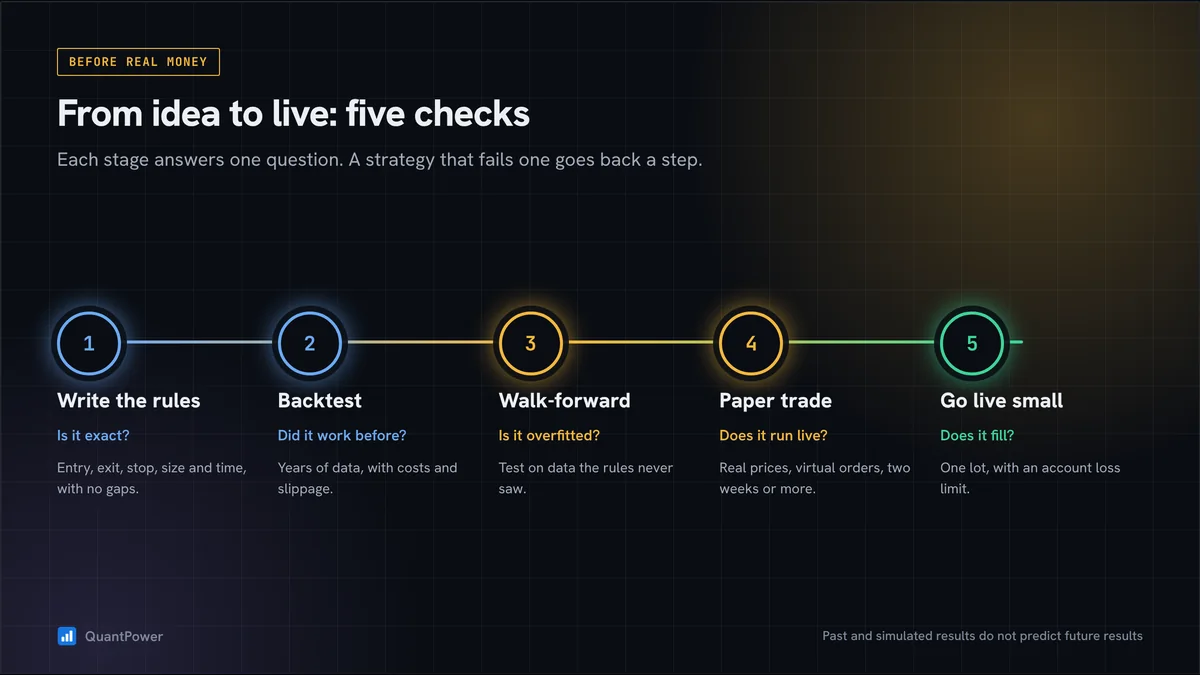
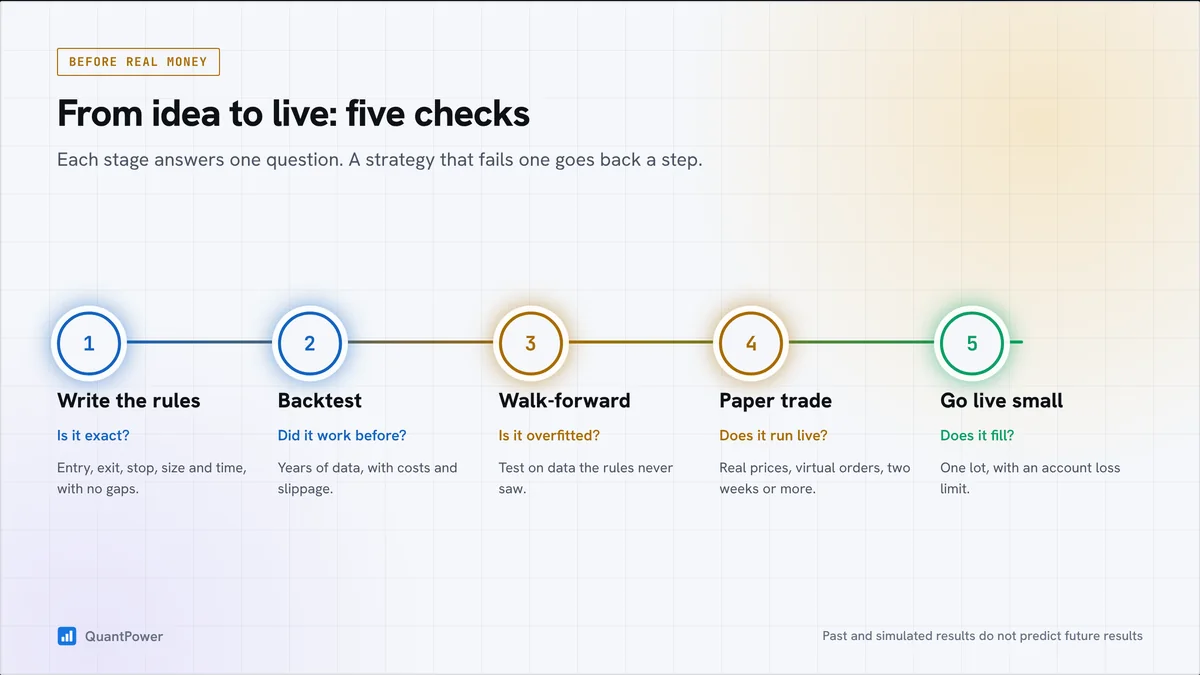
- Write the rules in the option strategy builder: entry, legs, strike selection, size, stops and time exit, with no gaps.
- Backtest them on past data, and include costs and slippage.
- Check for overfitting by testing on a period the rules were not built on.
- Paper trade on live prices with virtual money for at least a few weeks.
- Go live small: one lot, a strategy stop and an account loss limit.
After that, review each bot's results every week and pause any bot that breaks its limits. The strategy performance report shows its P&L over time, drawdown and every trade.
Risk controls for every bot
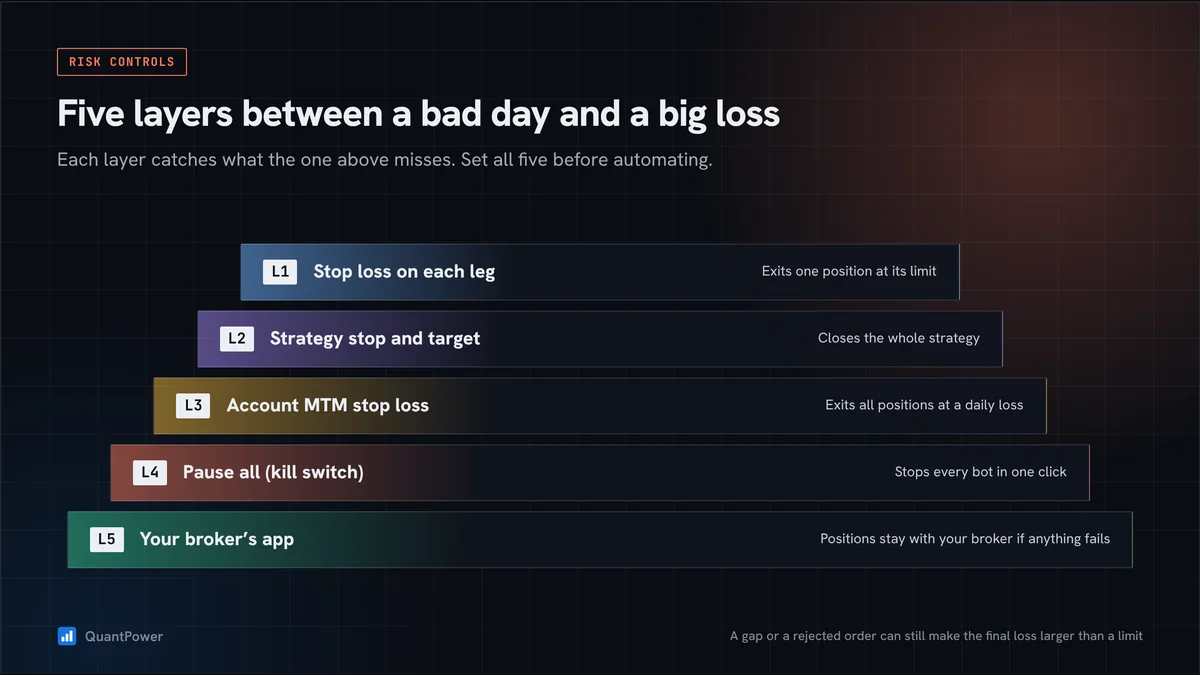
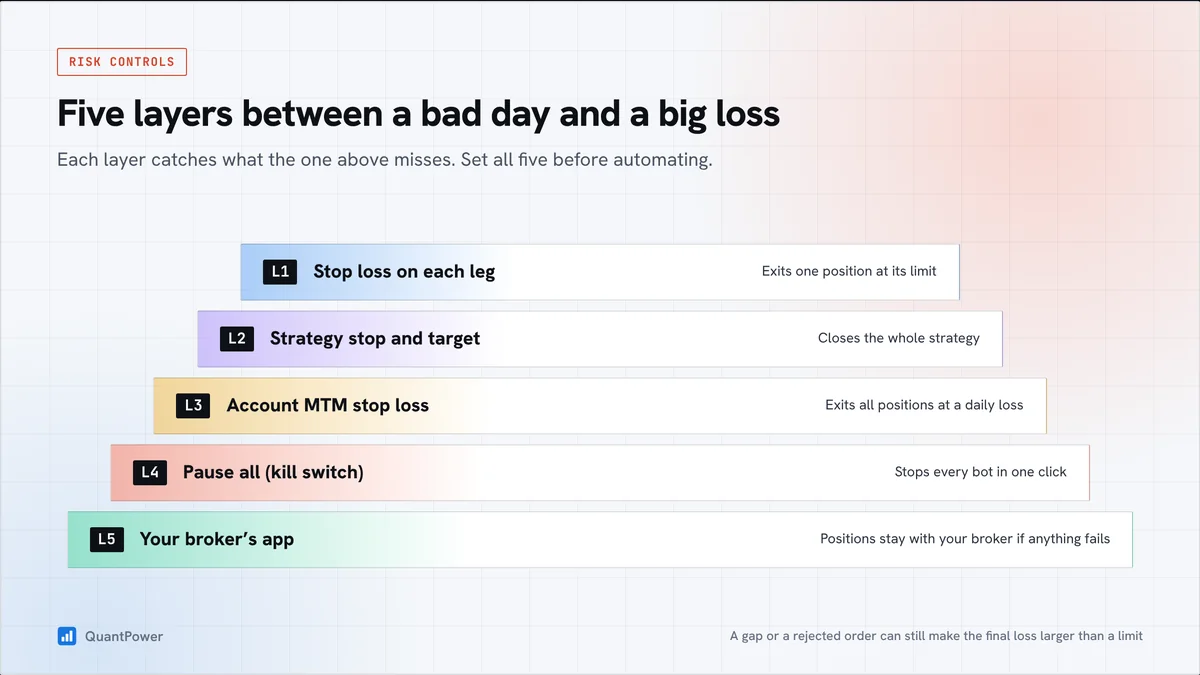
- Stop loss on each leg exits one position at its limit.
- Strategy stop and target close the whole strategy at a set rupee loss or profit.
- Account MTM stop loss exits all covered positions when the day's loss reaches your limit.
- Pause all stops every bot at once.
- Your broker's app still shows every position, so you can exit there if anything fails.
Set all five before a bot goes live. A gap or a rejected order can still make the final loss larger than a limit, so size each bot for its worst day, not its average one.
What stays with you
- Your money. Funds and securities stay in your broker account. Broker APIs do not allow withdrawals.
- Your login. You type your password and two-factor code on your broker's own page.
- Your rules. Every rule is visible and editable. There is no hidden logic in a bot you built.
- Your positions. They sit in your broker account, where you can see and close them at any time.
Plans
The QuantPower Standard plan is free during the Beta (₹299/month after); Professional is ₹499/month and Ultimate ₹999/month, GST extra. See pricing. Both include the strategy builder, backtesting and the MTM stop loss. Prices exclude 18% GST, and your broker charges brokerage separately.
Related guides
- Option strategy builder: build the rules a bot follows
- Backtesting: test the rules on past data
- Paper trading platform for options: run a bot on live prices with virtual money
- How to place stop loss order: per-trade stops and the daily MTM limit
- SEBI rules for option trading: the retail algo framework in full
Start your free trial
Connect your broker, build a strategy and test it on paper before a single live order goes out.
Frequently asked questions
Does QuantPower tell me what to trade?
No. QuantPower gives no tips, calls or buy or sell advice. A bot follows only the rules you write, and you decide whether to run it.
Can I see every rule a bot follows?
Yes. A bot runs the strategy you built, and you can open and change its rules at any time. Nothing in it is hidden from you.
Can a bot trade if I have not logged in to my broker?
No. Broker API sessions end before each trading day, so a bot can place orders only after you log in with two-factor authentication that morning.
Can I change a bot's rules while it is running?
Pause it first, deal with its open positions, and then edit the strategy. Test the change in paper mode before you deploy it live again, because new rules may not manage positions opened under the old ones.
Will a bot trade on expiry day?
Only if expiry day is in its schedule. Nifty weekly options expire on Tuesdays, so leave Tuesday out of a bot's days if the strategy was not built and tested for expiry-day moves.
Sources
- SEBI, circular on safer participation of retail investors in algorithmic trading, 4 February 2025, and glide-path circular, 30 September 2025 (sebi.gov.in) (checked 20 October 2026)
- NSE, implementation standards for retail algo trading, 5 May 2025, and operational modalities, 22 July 2025 (nseindia.com)
- Zerodha, static IP for Kite Connect, (checked 20 October 2026)
- SEBI, study on profitability of individual traders in the equity derivatives segment, FY26, press release 50/2026, 20 August 2026
- QuantPower plans and features as listed on quantpower.tech (checked 10 October 2026)