
Opstra vs QuantPower at a glance
| Opstra | QuantPower | |
|---|---|---|
| Main use | Options analytics and trades you place yourself | Options analysis, backtesting and automated trading of your own rules |
| Who can use it | Definedge Securities demat holders | Clients of its supported brokers |
| Brokers | Definedge Securities | 100+ Indian brokers, including Wisdom Capital, Zerodha, Upstox, Fyers and IIFL Capital |
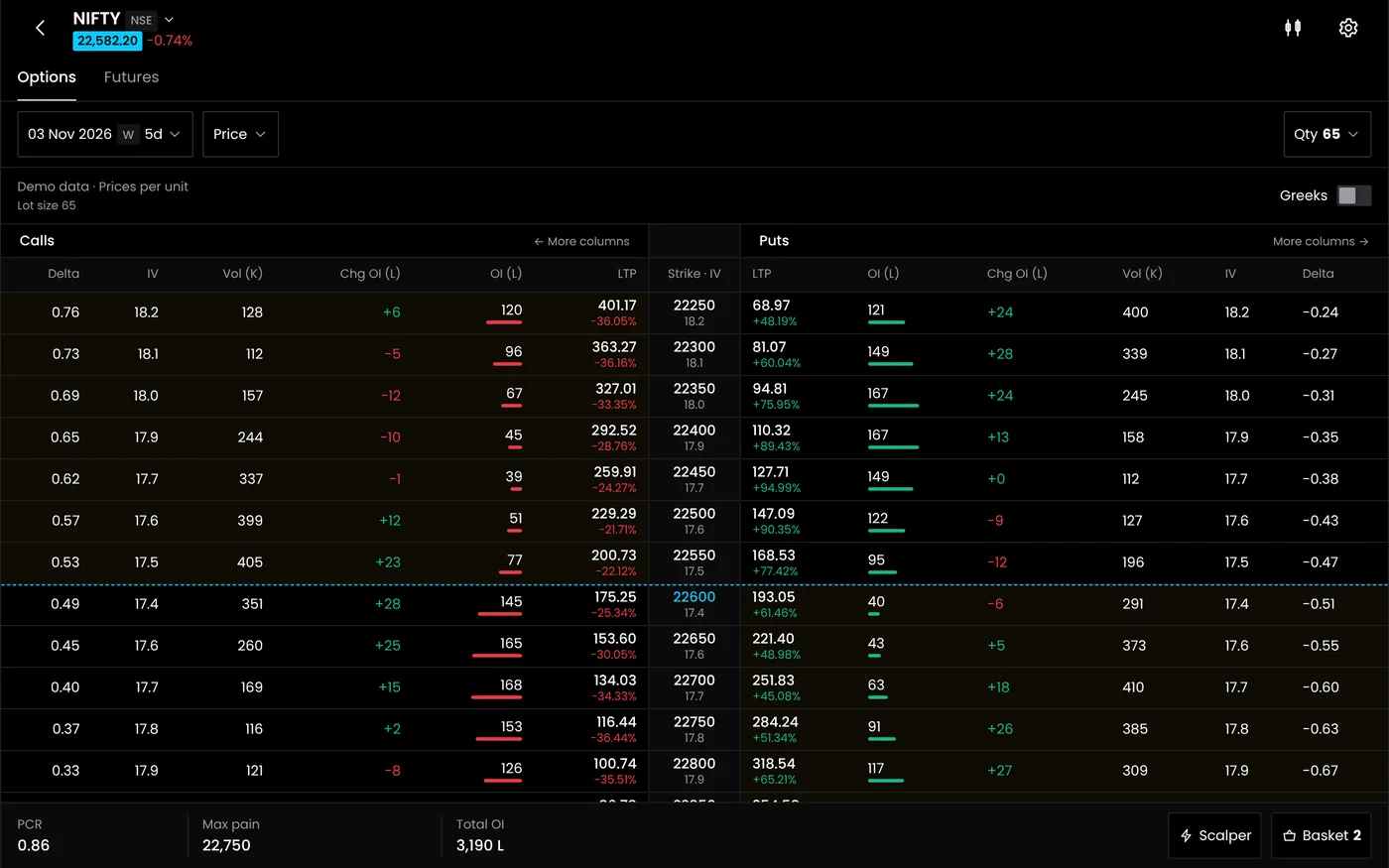
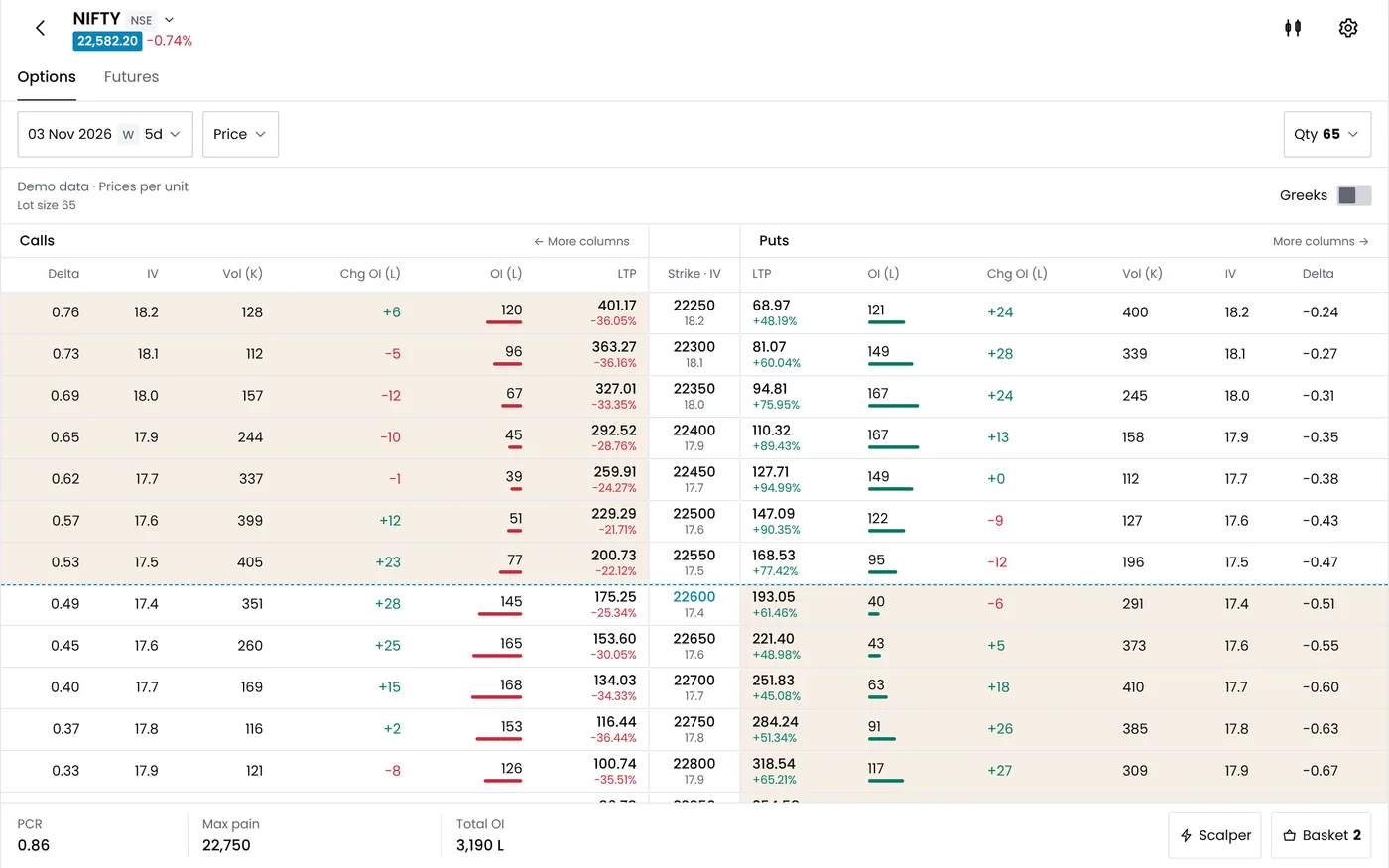
| Option chain, OI and PCR | A core strength | Advanced option chain and futures analysis |
| Strategy builder | Yes, with paper portfolios | Yes, and its rules can run as algo bots |
| Backtesting | Pro plan | Standard free during the Beta; see pricing |
| Volatility skew and surface | Pro plan | Not in QuantPower's feature list |
| Automation | Analysis-led; you place the trades | Algo bots, signal trading and an MTM stop loss |
| Price | Free basic plan; paid Pro plan | Standard free during the Beta; see pricing |
| Who it suits | Definedge clients who analyse in depth | Rule-based traders on other brokers |
Opstra option strategy builder and QuantPower's strategy builder
Both platforms let you build an options position leg by leg and see how it behaves before you trade. The Opstra option strategy builder sits inside its analytics tools, and you can track ideas in paper portfolios. QuantPower's strategy builder does the same planning job, but each strategy can also carry entry, exit and stop rules. You can backtest those rules, run them in paper trading and then deploy them as an algo bot on your broker account.
| Step | Opstra | QuantPower |
|---|---|---|
| Build the position | Strategy builder | Strategy builder |
| Study it | Payoff, open interest and volatility tools | Advanced option chain and futures analysis |
| Test it | Backtesting and an options simulator on Pro; paper portfolios | Backtesting, then paper trading on live prices |
| Trade it | You place the order with Definedge | Rules run as an algo bot, or you trade from the live terminal |
| Manage risk | Your own exits | Strategy exits plus an MTM stop loss on all positions |
The choice comes down to what you do after the analysis. If you study a position and then place it yourself, Opstra's tools go deeper on volatility. If you want the position's rules to run on their own, QuantPower is built for that step.
Pricing
Opstra has a free basic plan for Definedge demat holders, with several dashboards that update every 15 minutes. The paid Pro plan adds backtesting, an options simulator, volatility skew and surface charts and faster data. Check Opstra's site for the current Pro price and terms.
QuantPower has three monthly plans:
| Plan | Monthly price | Includes |
|---|---|---|
| Standard | Proposed ₹299, GST extra | Final allowance pending; see pricing |
| Professional | Proposed ₹499, GST extra | Final allowance pending; see pricing |
| Ultimate | Proposed ₹999, GST extra | Final allowance pending; see pricing |
QuantPower prices exclude GST. Yearly billing is also offered, and there is a free trial.
For a Definedge client who trades by hand, Opstra's basic plan costs nothing. QuantPower's fee makes sense if you want automation, or if your account is with one of its brokers.
How QuantPower places automated orders
QuantPower is trading software, not a broker or an adviser, and it gives no tips or calls. A strategy is your own set of rules, fully visible to you.
Its orders go from your own broker account through the broker's official API, with your own API key, from a static IP registered with your broker. They start only after your daily broker login with two-factor authentication. Self-built strategies stay within SEBI's order-rate limit for them, fewer than 10 orders a second, and your funds and securities stay with your broker.
Using Opstra and QuantPower together
QuantPower does not list Definedge Securities among its brokers. A Definedge client who wants both would analyse in Opstra and keep an account with one of QuantPower's brokers for automation.
If your account is already with one of those brokers, QuantPower's option chain and strategy builder handle the everyday analysis, and you can add a separate tool for deeper volatility work. The Opstra alternative guide looks at options platforms for traders outside Definedge.
Which to choose
| If you | Consider |
|---|---|
| Trade with Definedge and place trades yourself | Opstra |
| Want volatility skew and surface charts | Opstra |
| Trade with Zerodha, Fyers, Upstox or IIFL Capital | QuantPower |
| Want your own rules to run automatically | QuantPower |
Moving a strategy to QuantPower
- Note the setup. Legs, strikes, entry conditions, exits and position size.
- Connect your broker with your own API key and a static IP registered with it.
- Rebuild the strategy in the strategy builder.
- Backtest it, then run it in paper trading for a few weeks.
- Go live small, with an MTM stop loss in place.
Related guides
- Opstra alternative: other options platforms to consider
- Option strategy builder: building options strategies without code
- Option chain: reading strikes, prices and open interest
- Nifty PCR: the put-call ratio and open interest in practice
- QuantPower vs other platforms: every comparison in one place
Start your free trial
Connect your broker, build a strategy and test it on paper before a single live order goes out.
Frequently asked questions
Can I use Opstra without a Definedge account?
Opstra's plans are offered to Definedge Securities demat holders, so you need a Definedge account. Check Opstra's site in case this changes.
Does Opstra have an option strategy builder?
Yes. It lets you plan options positions leg by leg and track them in paper portfolios. QuantPower's strategy builder adds rules that can be backtested and run as algo bots.
Does QuantPower have volatility surface charts?
No. Volatility skew and surface charts are not in QuantPower's feature list, which centres on the advanced option chain, futures analysis, backtesting and automation.
Can I backtest options strategies on Opstra and QuantPower?
Yes. The QuantPower Standard plan is free during the Beta (₹299/month after); Professional is ₹499/month and Ultimate ₹999/month, GST extra. See pricing.
Can I use Opstra and QuantPower together?
Yes, but on different accounts. Opstra works with Definedge Securities, and QuantPower does not list Definedge among its brokers, so automation in QuantPower needs an account with one of its supported brokers.
Sources
- Opstra by Definedge: opstra.definedge.com and the Opstra app listing (checked 20 October 2026)
- Strike: Definedge Opstra review, for plan features and eligibility (updated April 2026, checked 20 October 2026)
- QuantPower: plans and features on the pricing page (checked 20 October 2026)
- TradingView Help Center: documentation on alerts and webhooks (tradingview.com)
- SEBI: circular on safer participation of retail investors in algorithmic trading, 4 February 2025