
Before you start
- A strategy you have backtested. See the backtest tutorial.
- A connected broker for prices. Paper trading uses live prices from your broker account, but places no orders with it.
- A plan for how long to test. Several weeks, across different market conditions, gives a meaningful result.
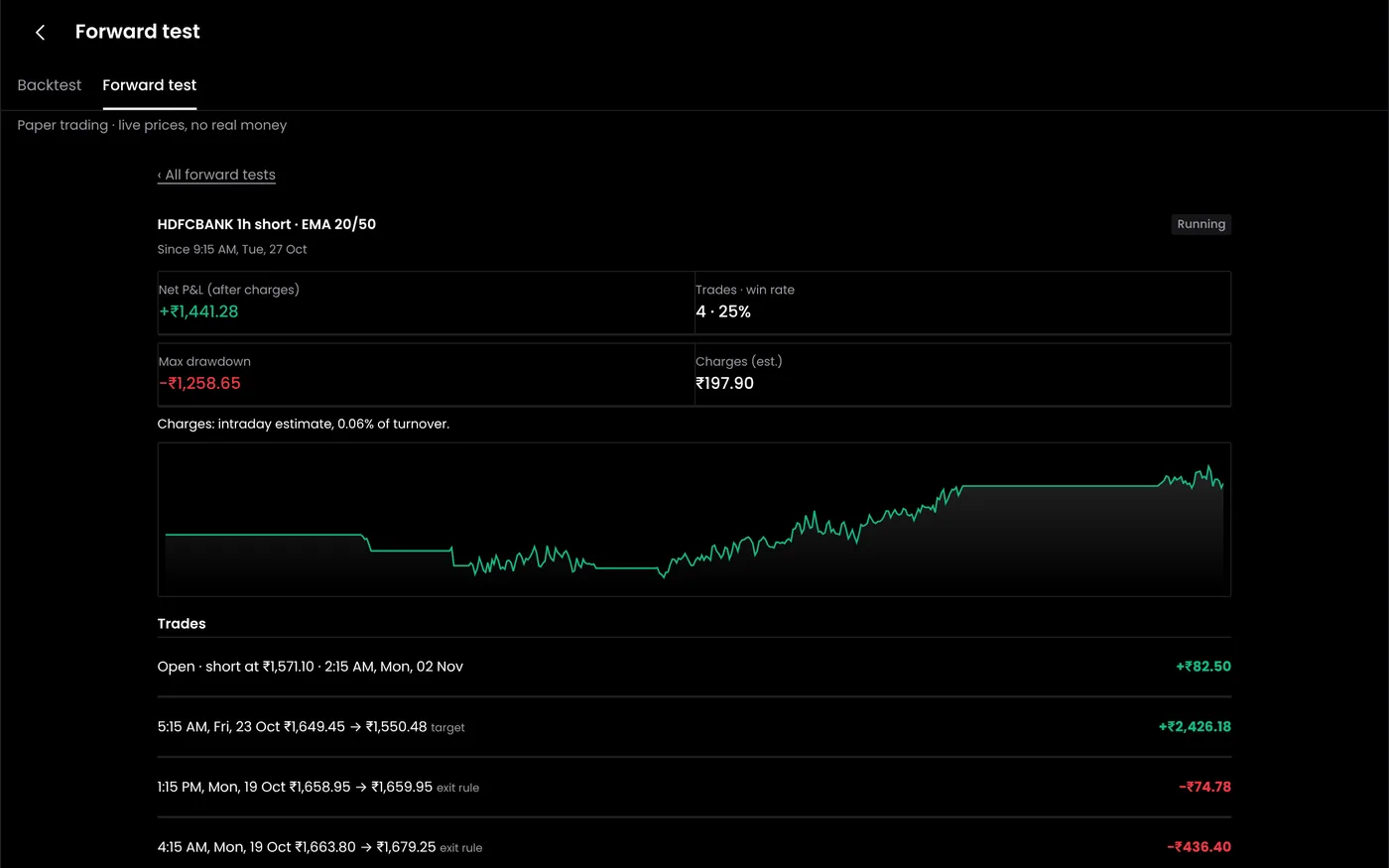
Step 1: Start the strategy in paper mode
- Open Algo bots and deploy your strategy, or open a bot you have already set up.
- Set the mode to Paper.
- Use the same quantity you would trade live. Paper trading 10 lots when you plan to trade 1 teaches the wrong lessons, and so does the reverse.
- Start the bot. A banner shows that orders are simulated.
Step 2: Watch the first session
On the first day, check that the strategy behaves as written:
- Entries happen at the time and conditions you set.
- Stop losses are placed at the right prices after entry.
- Exits happen at the target, stop or time exit.
In the example, the straddle sells the 25,000 call at ₹280.50 and the 25,000 put at ₹227.10 at 09:20, and places stop losses at 364.65 and 295.25, which are 30% above each entry price, rounded to the 0.05 tick. If anything looks different from your rules, stop and fix the strategy now.
Step 3: Keep a record
Paper trading is only useful if you treat it as real:
- Note every trade and every rule you would have broken by hand. A trade journal helps.
- Do not reset after losses. A virtual loss is the cheapest lesson you will get.
- Do not change rules mid-test. If you change something, start a new test period.
Step 4: Compare with the backtest
After a few weeks, compare paper results with a backtest of the same days:
| What you see | What it usually means |
|---|---|
| Paper close to the backtest | The rules and cost assumptions are realistic |
| Paper much worse | Slippage or costs in the backtest were too low, or fills differ from the data |
| Paper much better | A lucky stretch, or the backtest was too cautious. Keep testing |
| Trades in paper that the backtest did not take | A rule reads data differently live. Check the conditions |
Step 5: Know what paper trading cannot show
Paper trading does not go through your broker, so it skips several things live trading meets:
- Margin checks: a live order can be rejected for insufficient margin.
- Order rules: brokers block some order types, such as SL-M orders in options on NSE.
- Queue position and partial fills: live limit orders can wait or fill in parts.
- Your own reactions: real losses feel different.
Our guide to paper trading versus live trading covers the differences in detail.
Step 6: Go live, small
When the checklist is complete, switch the bot to Live:
- Set a daily MTM stop loss for the account.
- Check the margin for one lot with your broker.
- Start with the smallest size, usually one lot.
- Increase size only after live results match paper for a few weeks.
Common problems
| Problem | What to do |
|---|---|
| No virtual trades | Check the bot's schedule, entry conditions and that your broker session is active for prices |
| Virtual fills look too good | Paper fills use live prices without a queue. Add slippage when you compare |
| Results reset | Note results before changing a strategy; a new version starts a new record |
Next steps
- Configure an algo bot
- Set an MTM stop loss
- Read more about paper trading
Frequently asked questions
Does paper trading use real prices?
Yes. It uses live prices from your connected broker account, with virtual money.
How long should I paper trade?
Several weeks at least, and long enough to include a volatile day or an expiry week that goes against the strategy.
Can I paper trade manual trades too?
Yes. You can practise manual trades as well as automated strategies.