You do not need a broker account, a paid data feed or any external Python packages. Every example runs without a network connection. Use the made-up values in this guide; do not export your account activity for the exercises. There is no order or position code. If you already know spreadsheets, think of the first few exercises as moving a visibly labelled calculation out of a cell and into a small file that somebody else can read and run.
The course uses a lesson, an exercise and an answer check. First learn one idea. Then change something yourself and predict what should happen before you run the code. Finally compare the result with a local test. Quanty's exercise review (beta) is an optional second look, not a substitute for running the tests. For the complete curriculum and its order, see learn to code for trading.
Lesson 1: Set up one folder and run one file
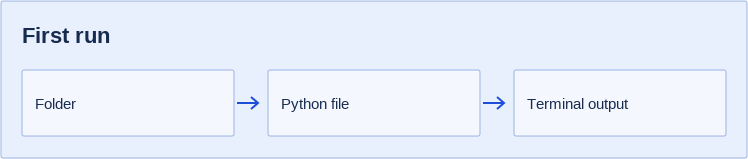
Make a new folder for the course. In it, create a plain-text file called prices.py. Open the folder in a text editor, and use a terminal in the same folder. Depending on your installation, the executable may be called python or python3. Use Python 3.10 or later for the complete example, and use the command that prints that version on your machine and use it consistently for the rest of the work. On Windows, the Python launcher may also be available. The official Python tutorial explains what the interpreter does and how scripts differ from the interactive prompt.
Start by placing print("Price practice") in the file. Run python prices.py, replacing the executable name if needed. A terminal that prints your line has confirmed three separate things: the executable is callable, the named file can be found, and the interpreter understands the file. If the screen says the file cannot be opened, look at your current folder and filename before editing the program. A file ending in .py.txt may look right in an explorer that hides extensions, but it is not the argument you passed.
Once the file runs, replace the text with a line that prints a number. Then add a second line and reverse their order. Python runs these statements in the order they appear. This appears obvious in a two-line file, but it becomes important when you later validate an input only after using it, or change a variable after logging its value. Order is part of the intended behaviour, not a detail the interpreter works out for you.
For the exercise, save the exact file that printed the message and write a short note with the input, command and expected output. Then deliberately run a misspelled filename and compare that error with the result of putting an unclosed quotation mark inside the correct file. The first is a file-location problem; the second is a problem with the text Python tried to parse. Fix one cause at a time. Neither problem is solved by changing the fictional price.
Answer check. Can someone start in the same folder and reproduce the output from your note? Use Quanty exercise review (beta) to describe the difference between the two error messages without proposing changes to code that already runs. Share the error lines, not the path to an account export or a transcript that contains unrelated information. A useful answer identifies the assignment or line that failed and says what to check next.
Lesson 2: Give values names and choose their types
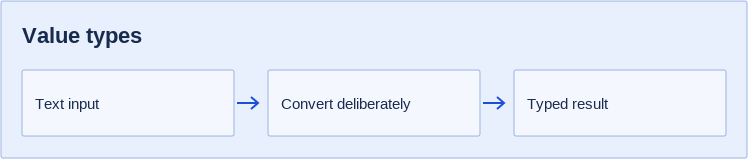
A value by itself is hard to audit. The number 3 could mean a sample count, an interval or an exercise number. A named value carries more of the reason for the code: window_size = 3. In Python, assigning a name connects the name to a value. It does not give the name a permanent type. You can accidentally replace a number with a string later. Beginners often use a separate name for the raw input and the parsed value so that the change is visible.
Start with three numbers: close_one = 100, close_two = 103, and close_three = 106. Add them, then divide by 3. The expected result is 103.0. The decimal point appears because ordinary division of two integers produces a floating-point result in this example. You can check the result by hand and distinguish the mathematics from the way the terminal formats the answer. Do not turn the output into a whole number just to make the printout prettier: on a different input that would discard useful information.
Now compare 100 with "100". The first is an integer and the second is text. Adding the numeric value 2 to the first gives 102. When both inputs are strings, the plus operator joins the characters: "100" + "2" gives "1002". Adding an integer directly to a string is an error. This distinction matters whenever a price arrives as text from a file. A program should parse each field explicitly instead of assuming that anything containing digits is already a number.
For this guide, use Decimal for the example's closing prices. Construct it from the original text, for example Decimal("100.10"), rather than converting from a floating-point value that has already rounded to the nearest binary representation. Decimal arithmetic also has precision and rounding rules; using it does not make every calculation infinitely precise. For exact small examples here, it makes it easier to compare a result with the corresponding number on paper. For the formal model, see the Python decimal documentation.
For the exercise, predict the result before running four expressions: adding two integers, joining two strings, attempting to add a string and an integer, and adding two Decimal values written as strings. Save each prediction along with the actual result. Use values different from the ones above. In particular, test a value like "1,025.50". It looks readable to you but the comma is not accepted by the direct Decimal conversion used here. Decide whether your exercise rejects the value or accepts a separately documented thousands separator. Do not silently make the decision inside the arithmetic function.
Answer check. Your explanation should distinguish a parse error from a wrong arithmetic result. For Quanty exercise review (beta), include one pair of values and your interpretation of the output. If the answer says a decimal always prevents rounding, compare that assertion against the official documentation and correct your notes. The goal is not to memorise terminology. It is to know where a type is chosen and what that choice affects.
Lesson 3: Work with lists and keep input order visible
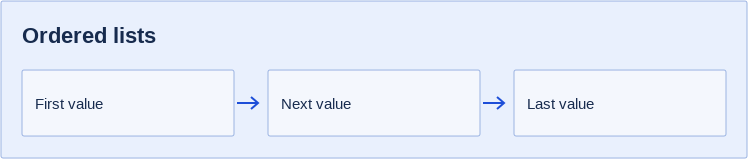
A list lets you keep observations in a sequence without giving each observation its own variable. In [100, 103, 106], the first item is at position 0 and the last can be read using -1. A slice such as values[-3:] returns the final three entries; if there are fewer than three, it returns the entries that actually exist. It does not report an error or pad the list to the requested length. Your code has to decide whether a shorter slice is acceptable.
In the final program a three-price calculation always requires three valid prices. An input of two prices is not treated as a two-price mean. The program returns no result instead. This is a design decision, documented next to the function. Think about what would happen if you used the length of whatever slice was returned and always calculated a mean. The program would give a number earlier than expected, and a test that checked only the last value of a long input would not notice. The warm-up rule needs its own test case.
A list preserves the order supplied to it, but that does not automatically mean the order is chronological. In this course the list comes from a synthetic exercise that explicitly presents the prices from oldest to newest. When you learn to use time-stamped candles, you will check ordering before trusting the rows. Do not sort the numbers themselves to fix an ordering issue. Sorting prices by magnitude would change which observations are the most recent. Keep the timestamp and price paired in a record, and decide what to do with duplicate timestamps before writing the calculation.
It is often easier to begin with a small example that distinguishes competing interpretations. Use four fictional prices: 100, 103, 106, 109. The last three have a mean of 106; all four have a mean of 104.5; the first three have a mean of 103. If you accidentally use the wrong slice, this list exposes it. A list that repeats the same value four times would give the same output under every interpretation and would be a weak boundary test.
For the exercise, invent a list of five distinct prices and predict the final two- and three-item slices. Include a negative index in your written explanation, but remember that a negative position is not a fictional negative price. Then run a list with zero, one and two entries. Record the slice you see and the separate rule your completed function should follow. You should be able to explain why no result is the correct output for all three inputs even though Python can return a slice for each.
Answer check. Give Quanty the four input cases and ask which mistaken implementation would pass one case and fail another. A helpful review identifies whether the evidence distinguishes the window size, selection of recent entries and warm-up behaviour. Keep at least one case you can calculate without a computer.
Lesson 4: Validate input instead of silently changing it
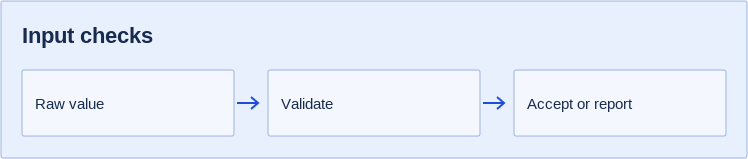
Real code spends a surprising amount of time checking data. Begin with a deliberate split between a parsing function and a calculation function. The parser owns whitespace, numeric text and rejection. The calculation owns the window size and arithmetic. The parser does not guess whether a number describes an open or a close; the caller must supply the field it means. This separation makes a problem easier to reproduce: you can call either function with one or two values and see where the behaviour changes.
For the fictional data here, a closing price must be numeric, finite and strictly positive. The requirement is local to this exercise and not a general market-data standard. An arithmetic program might technically support negative numbers; this parser refuses them because the chosen fictional schema says they are invalid. Similarly, NaN and infinity can be recognised as numeric notation without making sense as usable closing prices here. Check for finiteness before comparing the value to zero.
Use a small and predictable error message. You do not need to echo a whole record, filename or terminal session into a web interface. The reference parser raises ValueError with a readable description. If you want to show which observation failed, the caller can attach an exercise index. Let the exception reach a local test first. If you later add an interface that handles it, display a safe summary rather than swallowing the failure and producing a number on partial data.
Which part of the list gets validated is another meaningful choice. The reference validates every supplied price before it picks the last three. It refuses an early corrupt entry even if that entry is outside the final window. Another application could specify that older entries are irrelevant for a rolling calculation. Those choices are not interchangeable. Here the function promises to validate the supplied sequence as one unit, making a damaged row visible even on an otherwise computable input.
For the exercise, try " 101.50 ", "", "not-a-price", "0", "-5", "NaN" and "Infinity". Write each expected outcome in your note first. Then place a rejected value in the earliest position of a five-price list. The expected result is an error, not the mean of the last three. Notice that all cases identify a violation of the data rule, but they are not the same violation. Blank input and a finite negative number may deserve different explanations in a later interface.
Answer check. Ask for a review of the case in which the bad value comes before the last window. Give the expected outcome explicitly. If a reviewer says it is fine to drop the row for convenience, mention the documented full-list requirement. A good review should explain which assumption would have to change to make that suggestion correct.
Lesson 5: Use functions that return results
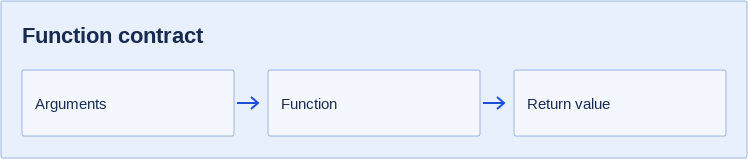
The full example keeps the logic in two functions. A function is useful here because you can name the work and ask for it multiple times with different data. Printing is separate. The parser returns a Decimal or raises a clear exception. The averaging function returns a Decimal or None, and the program decides how to present that result only when run as a script. Tests can import the functions without printing a practice number as a side effect.
The program does not retrieve data, read secrets or communicate with a broker. Copy it into your own local prices.py:
from decimal import Decimal, InvalidOperation


def parse_close(raw: str) -> Decimal:
    try:
        value = Decimal(raw.strip())
    except InvalidOperation as error:
        raise ValueError("close must be a decimal number") from error
    if not value.is_finite() or value <= 0:
        raise ValueError("close must be finite and positive")
    return value


def average_latest(raw_prices: list[str], window: int = 3) -> Decimal | None:
    if type(window) is not int or window <= 0:
        raise ValueError("window must be a positive integer")
    closes = [parse_close(value) for value in raw_prices]
    if len(closes) < window:
        return None
    recent = closes[-window:]
    return sum(recent, Decimal("0")) / Decimal(window)


if __name__ == "__main__":
    outcome = average_latest(["100", "103", "106", "109"])
    print("not enough closes" if outcome is None else outcome)
Read the code from the entrance to the point where it produces an answer. First consider the size of the requested window. This function deliberately refuses a boolean for that size: though bool is a subclass of int in Python, a true/false switch is not a valid number of observations in this exercise. The exact type comparison is a deliberate choice rather than a pattern to apply everywhere. Then each text value is parsed in input order, and the function stops if a price fails validation. Only after those checks does it decide whether enough prices exist.
Decimal("0") in sum provides a Decimal starting value. On an empty input, the program reaches the earlier warm-up return and never divides by zero. The denominator is the documented window size, not the length of the full list. The two would be equal only in some cases. The guard at the top makes a request for a zero or negative window an explicit error. It is easier to understand a clear argument error than to infer which behaviour an empty or surprising slice would otherwise cause.
For the exercise, draw a table with the columns input, window, outcome and explanation. Include a four-price case for the default window, the same prices with a smaller window, a one-price case that uses a window of one, a short input that returns no result and an invalid window. In each explanation, identify which branch should be used. Then run the function using the interactive prompt, or put each case in a test. If one answer differs, focus on whether the data parser, warm-up or slice caused it.
Answer check. Give Quanty two valid cases and a deliberately invalid case. Ask for an explanation of whether the function should raise an exception, return no value or calculate a number. If your own expected result disagrees with the model, first check the document and your hand calculation. Do not change a tested policy just because a suggested rewrite is shorter.
Lesson 6: Make tests independent of the demonstration
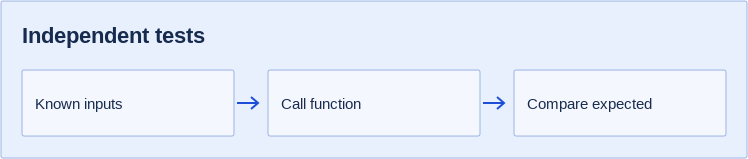
Tests make the exercise repeatable. They pin down the meaning of 'correct' for one interpretation of the requirements. Begin with small inputs and exact expected outputs. Importing the code should not call a live service, read account credentials or create an order. The test file below uses only modules included with Python. Save it as test_prices.py alongside prices.py and run python -m unittest -v in that folder. See the official unittest documentation for the runner and assertions.
import unittest
from decimal import Decimal

from prices import average_latest, parse_close


class PricePracticeTests(unittest.TestCase):
    def test_window_uses_most_recent_prices(self):
        prices = ["100", "103", "106", "109"]
        self.assertEqual(average_latest(prices), Decimal("106"))
        self.assertEqual(average_latest(prices, 2), Decimal("107.5"))

    def test_short_data_is_not_a_smaller_average(self):
        self.assertIsNone(average_latest([]))
        self.assertIsNone(average_latest(["101", "102"]))

    def test_window_one(self):
        self.assertEqual(average_latest(["101"], 1), Decimal("101"))

    def test_bad_prices_are_rejected(self):
        for value in ("", "NSE", "0", "-10", "NaN", "Infinity"):
            with self.subTest(value=value):
                with self.assertRaises(ValueError):
                    parse_close(value)

    def test_all_rows_are_validated(self):
        with self.assertRaises(ValueError):
            average_latest(["bad", "100", "101", "102"])

    def test_bad_windows_are_rejected(self):
        for window in (0, -1, True):
            with self.subTest(window=window):
                with self.assertRaises(ValueError):
                    average_latest(["100"], window)
The first test makes the ordering error visible. The second distinguishes a short clean list from the availability of an average. The third exercises the smallest valid window, so it checks the other side of the boundary protected by the invalid-window test. The bad-price test and the full-list test are separate: the former addresses the parser alone, while the latter confirms the averaging function uses the parser on every input. If you merge them into one test, a failure becomes harder to interpret.
Do not read more into a green test report than the cases actually assert. These checks do not prove your input file comes from a trusted source, that candle timestamps are correct or that any rule works in a market. Nor do they check an edge case you have not described: for example, the program is typed for price strings, and a list of arbitrary objects is outside this exercise contract. When broadening the contract, add examples and decide on error semantics before changing the implementation.
For the exercise, temporarily change recent = closes[-window:] to recent = closes[:window]. Run the tests, note which one detects the mistake and then restore the line. Repeat by changing the warm-up branch so it tries to calculate with too few prices. You are testing the tests, not just watching a command print a success message. Run one final check with the original code restored. This drill makes it easier to see whether a later test is meaningful or merely mirrors the implementation.
Answer check. Share the one failed test from your deliberate change and ask for the smallest corrective edit. Quanty may offer a refactor; compare that suggestion with the simpler fix and keep the change you can verify. A useful response explains why the existing expected number stays the same after the code is repaired.
Capstone: Turn the program into a small, reviewable handoff
Produce three files or notes: your code, the tests, and a one-page explanation. In the explanation describe the input format, how you represent numerical values, the observation order, the window, what counts as insufficient data, what counts as invalid data and how to run the program. Add two distinct worked examples, one that calculates a number and one that does not. Do not claim the program is ready for a broker, a trading terminal or an external data source. This makes your handoff useful without blurring the boundaries of the exercise.
Then ask another person, or use your own fresh terminal session, to reproduce the result without reading prior chat. A step that works only in the folder you happened to start in is not fully described. A number you cannot recreate from the inputs is not an accepted result. If your code says 106 but the note says 107, trace the difference from the chosen window and values before making any other change. Write down the correction so the next reviewer can see what the expected result means.
For the answer review (beta), use a short prompt: “Here is my exercise contract, one input that should work, one input that should fail, and one test result. Please point out the first mismatch and propose one new boundary test. Do not rewrite the exercise or turn it into a trading strategy.” If the response anticipates a risk you did not cover, make a decision about whether it belongs in this course. Some questions are better deferred to the data course, where timestamps, time zones and gaps have enough room to be explained properly.
When you can explain the difference between invalid data and insufficient data, you are ready to move to the curriculum's next topic. It introduces a timestamp beside each price and asks whether a row is a valid representation of an interval. If you have already used an API in the past, resist the urge to start with a remote endpoint. A local sample file allows you to see exactly which input caused a wrong output. It is the same discipline you used here: state what you expect, change one case and compare.
Review exercise: Write the contract before adding another feature
Imagine you are asked to adapt the example for a file that occasionally contains an empty line between two valid values. There are several reasonable contracts, but they do not produce the same result. The simplest is to refuse the complete file, just as the current example refuses invalid prices. A reader might instead ignore empty lines but reject any nonempty invalid field. Another reader might preserve empties as missing observations and refuse to calculate if one lands in the averaging window. None of those choices can be justified by the expected result alone. First explain what an empty line means at the boundary you control.
Use a three-column note for your discussion: suspected cause, evidence and proposed behaviour. Under suspected cause, distinguish an extra blank display line from a row with an expected value that did not arrive. Under evidence, write down what the person or process that created the file can actually tell you. Under proposed behaviour, record how a clean file, an empty file and an incomplete file should differ. If you do not have enough evidence, say so and keep the more explicit rejection rather than inventing a value to fill the gap.
Now design two file fixtures without changing the program. Put the blank line in the middle of the first fixture and after the final record in the second. If you think these cases should behave differently, write down the rule that makes them different. If you think they should be the same, make sure your proposed code will not treat a final newline as a phantom price. A single newline normally marks the end of a record in a text file; the file-reading method you choose affects whether you see a separate empty value. This exercise is about reading your own format, not accepting an arbitrary format that happens to be readable.
Once the specification is clear, identify which function should change. Price parsing should still reject malformed numeric text; it has no role in deciding what counts as a row. File reading can own that decision and pass validated strings to the existing function. That means most of this course's tests should remain unchanged when you add a file reader. If a change shifts the result of a test whose input is still a direct list, you may have mixed concerns that were previously separate.
Answer check. Use Quanty exercise review (beta) to compare your three proposed contracts without deciding for you. Show the fixtures, list the assumption behind each option, and ask for one test that would distinguish them. A useful review should not require a real file, a real price or access to a spreadsheet. Keep the exercise in your local folder until you can explain why the new test passes and what it intentionally refuses.
FAQ about this course
Why practise with invented closes rather than an account export?
Invented closes let you choose values that prove one distinction at a time. You can make the first three values and the last three values give different means without scanning an entire file or exposing details about an account. If someone else runs the tests, they get the exact same dataset and can see the full calculation. This is a benefit for learning, not a statement about the realism or predictive value of the numbers.
Why not make each function print its own answer?
A returned value can be tested, reused and formatted by the caller. A printed message goes to the terminal and is useful as a presentation choice, but it takes extra work to check and reuse. Keeping the computation separate allows the script to have a simple example and the tests to inspect the precise Decimal. When you add a different interface later, you can present a new message without changing the arithmetic.
Does passing these tests mean I can turn this into an algo?
No. The exercise validates a local calculation on fictional numbers. It does not handle live data, trading permissions, risk controls, slippage, order execution, failures outside the process or trading conditions. The code does not create or place an order. Any real trading workflow is a separate project that needs its own requirements, permissions and testing. QuantPower provides no advice about whether to trade or what to trade.
Is this the same as writing Python for a particular broker?
No. This is a beginner coding course, not an account-by-account connection or order-placement walkthrough. Broker-specific concepts are deliberately out of scope. The Python for algo trading guide is a separate reference about a named integration; you do not need it to finish this course. Return to the learn to code for trading curriculum if you want the next offline exercise.
Related
- Learn to code for trading: the full six-course sequence.
- Python for algo trading: a separate broker-specific reference, not required for this course.