Quanty · Agentic AI
Quanty Code: Templates for Trading Code
Start with code you can read. Describe what you want to calculate, draw or build. Review the files, change your settings and test them before you connect your own data.
Start with the output you need
Good code starts with a clear output, not a long prompt. Say which data you have, what the script should calculate and where the result should appear. A trader working with an existing candle file can ask for a script that reports one value per candle. A developer building a dashboard can ask for a page that shows the status of three background tasks. Those are different jobs and should not produce the same answer.
Use the table to choose the kind of file you want. You do not need to pick an implementation language if you only want an output; explain where the result must run instead. An indicator for a chart belongs in a chart language. A standalone batch calculation usually belongs outside the chart. A browser page is a presentation layer, not the place to store a broker key.
| What to ask for | Start with | What to verify |
|---|---|---|
| Read a candle file and print an indicator | Python | Input columns, warm-up interval and output rows |
| Draw a chart indicator or mark a rule crossing | Arth Script | The chart, timeframe and missing-bar behaviour |
| Produce an API response from fictional data | Go | Input validation, response status and failure cases |
| Show your workflow, table or landing page | React or HTML/CSS | Keyboard use, phone layout and sample labels |
If several outputs are useful, get one working first. For example, save a dated sample data file, calculate the result and check it in a table. Add charts or an API only after that output is understood. It is much easier to spot a bad price or a wrong time range in a ten-row file than in a full application.
Say which part is your rule
Use the rules you already chose. Instead of asking “write a good trading strategy,” give the exact condition, the inputs and the action the code should report. For a moving average, state the lookback and which price to use. For a signal, say whether it should be calculated after the candle closes or on changing data. If that difference matters to the test and your instruction leaves it open, stop and make the choice before you use the output.
A useful starting brief is: “Read a CSV with timestamps and closing prices. Calculate a 20-period EMA. Print the timestamp and value for every row, with blanks before enough rows are available. Do not place orders.” If you want 15-minute candles, say whether the CSV is already on that interval or must be grouped from shorter bars. Treat a timeframe as a property of the input, not a label on the result.
For an indicator request, say which parts need to appear in the chart. A plotted line is not a trade instruction. A marker can show that your arithmetic condition was true without saying what to buy or sell. An indicator example also does not take account of your capital, fees or order fills. Keep a separate record of those assumptions if you later use the condition in a backtest.
What changes when a template fits
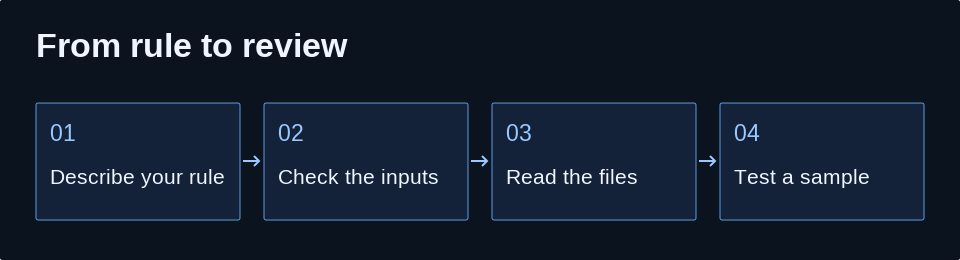
A template contains a starting implementation, the settings it expects and instructions for running it. A request that fits a supported wording and a known setting can reuse the template while changing only that value. Changing a lookback from one number to another is much smaller than changing the formula, the input format and the behaviour on missing data.
Look for the setting in the generated file. It should appear where the calculation reads it, not just in a heading or comment. Read the default value, the units and the input range together. A period is a count of bars; it is not a count of minutes. If a parameter is not supported by the template, do not assume the system changed it. Inspect the result or revise the request.
If you ask for a different calculation, a new application or a data source not in the template, expect more review. New or adapted code is not the same as a reviewed template. Check each assumption, especially how it behaves on empty input, malformed values and input received twice. A successful example run is not proof that an integration is ready for a real account.
Open the files and run the example
Start with the setup notes. A script typically needs an input file and an interpreter. A website starter may be a plain HTML page with an adjoining stylesheet, or a framework component with package instructions. Keep the filenames and directory structure intact. Downloading only the HTML and not its stylesheet produces a page that opens, but without the design you selected.
Run the included test command, then run the example on a small sample. Compare at least one result with a manual calculation. A fixture can prove that one specific input yields the expected output, not that every input works. Make one deliberate change, such as switching the lookback or removing one candle. A useful test shows the change you intended and catches what you did not intend to change.
Write down the date range, input source and parameters beside the result so somebody else can reproduce it. If the sample file uses fictional prices, keep that label when you show the output. Do not copy sample instruments into a real order ticket, reuse a time range without checking the market session or infer an expected return from a template demonstration.
Keep broker access separate
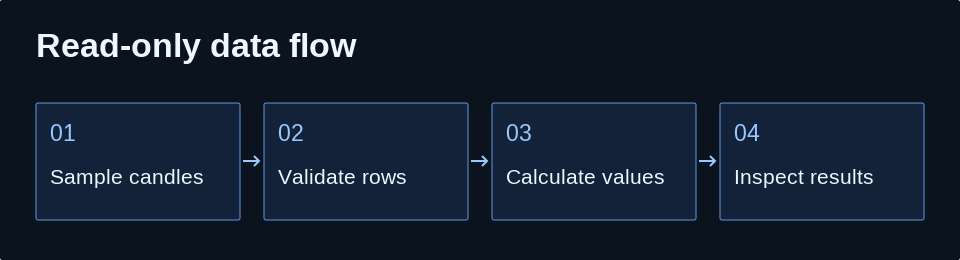
A read-only broker example shows how to request data after you connect your own broker API. Start with the broker's documentation and supported permissions. If the broker has a test environment, use that first. Otherwise, develop against a local fixture before you introduce credentials. The fixture lets you work on the calculation and error handling without making a network request.
Keep keys in your own local environment. Do not paste them into a prompt, put them in a front-end file, include them in screenshots or commit them next to the example. Treat quotes and other broker responses as data that needs validation. Check timestamps, expected columns and size limits, and distinguish an error response from a legitimate empty result.
A read-only example must not submit, cancel or modify an order. If the code you received adds an order endpoint you did not request, remove that behaviour and test the boundary before using it. Data availability, account permissions and broker-side setup vary. A template cannot grant the permissions your account does not have, and it cannot promise that a real request will succeed.
Website themes and other page designs (beta)
A template for a website is a layout starter, not a running service. The HTML controls the content and its order, and the CSS controls how it looks across screen widths. Use a static starter to see what a concept reads like on a phone. A small sample dashboard can show which fields belong above the fold before anyone builds the live data behind it.
Open the output locally and try it without an internet connection. Can you read the page without scripts, reach its section links by keyboard and tell sample entries from real ones? Replace fictional names and claims before publishing. A generic site does not automatically include accounts, forms that save data, analytics, payments or regulatory approvals. Recipients should be able to tell when a button merely moves them to another section of the same page.
A review handoff another person can follow
Send the prompt you used, the files you received, the test command and a small safe example. If you changed a file after downloading it, say what changed and why. A teammate should not need access to your broker account just to reproduce a calculation. You can often make a good review example by replacing the prices with a short made-up sequence and keeping only the columns the script actually reads.
For an indicator, include the symbol name only if it matters to your test, the chart timeframe and the bar on which you expect a mark. For an API example, show what should come back when fields are missing as well as what should come back when they are present. For a website theme, include both the phone and wide layout and note any controls that are only for illustration.
Finally, keep the original template and your adapted version in separate folders. When a result changes, compare the input data, the code and its settings one by one. Do not rerun an old test and present it as evidence for a newer version. The useful question is not whether the code looks plausible, but whether the exact version you plan to use behaves as you described.
Before you test with your own data
- Read the rule and confirm which of your settings made it into the files.
- Run the included tests, then compare a short example with a manual result.
- Keep credentials out of prompts and code; use only the access your task needs.
- Check how the script handles missing data, malformed input and wrong timezones.
- Keep sample data separate from broker accounts and real trading.
QuantPower is software, not an adviser. The code implements the rules you provide; it does not choose what you should trade. Test trading logic on paper before considering any live use.
Python trading scripts: read the full guide to requesting and checking a Python file.
Broker API code templates: check the read-only adapter, account boundary and failure handling.
Go API templates: review a local HTTP contract, response shape and handler tests.
React HTML templates: choose a static page or component and check its behavior.
Arth Script templates: inspect a chart indicator or user-defined rule marker.
Website theme templates: choose a fictional sector layout and adapt the local design.
Explore Quanty